The Brother ADS-3300W Wireless High-Speed Desktop Scanner is a highly capable and user-friendly device, ideal for individuals and small to medium-sized businesses seeking to streamline document management. It offers impressive scanning speeds of up to 40 pages per minute (ppm) for simplex and 80 images per minute (ipm) for duplex scanning, supported by a 60-sheet Automatic Document Feeder (ADF) and a daily duty cycle of up to 6,000 sheets.
Understanding Document Scanners: Where the ADS-3300W Fits
Document scanners vary, each designed for specific needs. Flatbed scanners handle delicate items, books, or irregularly shaped documents, requiring manual placement. In contrast, sheet-fed scanners, like the Brother ADS-3300W, prioritize speed and efficiency for multi-page documents. They feature an Automatic Document Feeder (ADF) that rapidly ingests stacks of paper, making them ideal for high-volume tasks. The ADS-3300W specifically targets small to medium-sized offices and home users who demand both speed and versatility without compromising on footprint or ease of use.
Brother ADS-3300W: Key Features and Specifications
The Brother ADS-3300W is engineered with features designed to tackle modern document management challenges. Understanding these core specifications provides insight into its potential impact on your workflow.
-
Speed and Efficiency: The ADS-3300W scans up to 40 ppm for simplex and 80 ipm for duplex scanning, across both color and monochrome documents. This rapid pace is supported by a robust 60-sheet Automatic Document Feeder (ADF), allowing users to process substantial batches without constant manual intervention. With a daily duty cycle of up to 6,000 sheets, this scanner is built for consistent, mid-to-high-volume workloads.
-
Versatile Connectivity Options: The ADS-3300W offers comprehensive connectivity, including Hi-Speed USB 3.0 for direct PC connection, wired Ethernet for network integration, and 2.4GHz Wi-Fi for wireless convenience. It also supports Wi-Fi Direct for mobile devices without a router, and features a USB host port for direct scanning to a USB memory stick. This versatility ensures seamless integration into almost any existing office setup.
-
Intuitive User Interface: Operating the scanner is simple via its 2.8-inch (7.1 cm) color touchscreen display. This interface allows users to easily navigate menus, select scanning profiles, and program up to 20 customizable shortcuts for frequently performed tasks. Dedicated “Back,” “Home,” and “Cancel” buttons complement the touchscreen for straightforward control.
-
Advanced Image Optimization: The ADS-3300W incorporates advanced image processing features for crisp, clean, and accurate digital reproductions. These include automatic deskewing, auto scan size detection, continuous scanning for extra-long documents, and automatic image rotation. Features like background color removal, blank page skipping, color drop-out, bleed-through removal, and hole punch removal further refine scans, reducing post-processing and ensuring professional-quality results. It can even handle barcode metadata and indexing for enhanced document organization.
-
Comprehensive Software Suite: The scanner comes bundled with a robust software package, including Brother Mobile Connect (for iOS and Android devices), Brother iPrint&Scan Desktop, and Brother Scan Essentials Lite for managing and organizing documents. For Windows users, it also features Kofax PaperPort SE with OCR (Optical Character Recognition) technology, which transforms scanned documents into searchable and editable text files. The scanner also supports industry-standard drivers such as TWAIN, WIA, and SANE, ensuring compatibility with a wide array of third-party applications.
-
Robust Security Features: Document security is paramount. The ADS-3300W includes triple-layer security measures designed to safeguard valuable data, providing peace of mind during the digitization process.
-
Compact and Space-Saving Design: Despite its powerful capabilities, the ADS-3300W maintains a compact footprint, measuring approximately 11.7″ (W) x 8.5″ (D) x 7.5″ (H) with its trays closed and weighing a mere 6.3 lbs. This makes it an ideal choice for crowded desks in home offices or small business environments where space is at a premium.
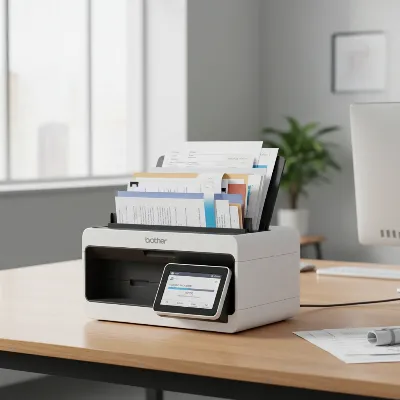 Brother ADS-3300W high-speed desktop scanner with a document being fed into the ADF
Performance Under Test: Speed, Accuracy, and Versatility
|
Our Picks for the Best Document Scanner in 2026
As an Amazon Associate I earn from qualifying purchases.
|
||
| Num | Product | Action |
|---|---|---|
| 1 | Doxie Pro DX400 - Duplex Document Scanner and Receipt Scanner For Home and Office With Amazing Software for Mac and PC |

|
| 2 | Brother DS-640 Compact Mobile Document Scanner, (Model: DS640) 1.5"x2"x11.9" |
|
| 3 | ScanSnap iX1300 Compact Wireless or USB Double-Sided Color Document, Photo & Receipt Scanner with Auto Document Feeder and Manual Feeder for Mac or PC, Black |
|
| 4 | Epson WorkForce ES-50 Portable Sheet-Fed Document Scanner for PC and Mac |
|
| 5 | ScanSnap iX1300 Compact Wireless or USB Double-Sided Color Document, Photo & Receipt Scanner with Auto Document Feeder and Manual Feeder for Mac or PC, White |
|
| 6 | Canon imageFORMULA R40 Office Document Scanner Receipt Edition, for PC and Mac, Scan & Extract Data to QuickBooks Online, Color Duplex Scanning, Auto Document Feeder, Easy Setup for Office Or Home Use |
|
| 7 | Canon imageFORMULA R10 - Portable Document Scanner, USB Powered, Duplex Scanning, Document Feeder, Easy Setup, Convenient, Perfect for Mobile Users |
|
| 8 | ScanSnap iX2500 Wireless or USB High-Speed Cloud Enabled Document, Photo & Receipt Scanner with Large 5" Touchscreen and 100 Page Auto Document Feeder for Mac or PC, White |
|
| 9 | ScanSnap iX2500 Wireless or USB High-Speed Cloud Enabled Document, Photo & Receipt Scanner with Large 5" Touchscreen and 100 Page Auto Document Feeder for Mac or PC, Black |
|
| 10 | Epson Workforce ES-C220 Compact Desktop Document Scanner with 2-Sided Scanning and Auto Feeder (ADF) for PC as Well as Mac |
|
Beyond specifications, real-world performance is where a scanner truly proves its worth. The Brother ADS-3300W generally lives up to its promise of high-speed, reliable document digitization.
-
Exceptional Scanning Performance: In independent tests, the ADS-3300W has frequently exceeded its rated speeds, often achieving around 43.9 ppm and 84.3 ipm. This means that large batches of documents are processed remarkably quickly, significantly reducing the time spent on manual filing and physical document handling. The duplex scanning functionality, which captures both sides of a page in a single pass, further amplifies its efficiency, making it a true workhorse for double-sided documents.
-
Versatile Document Handling: This scanner is not limited to standard letter-sized paper. Its robust ADF can handle a wide variety of media types, including invoices, receipts, business cards, and even plastic or laminated cards (such as ID cards or insurance cards). For fragile items or photos, using an optional carrier sheet is recommended. The continuous scanning mode is particularly useful for digitizing extra-long documents, like legal forms or historical records, extending up to 35.4 inches.
-
High-Quality Image Output: With an optical resolution of up to 600 x 600 dpi (and an interpolated resolution of up to 1200 x 1200 dpi), the ADS-3300W produces clear, legible, and high-fidelity scans. The integrated image enhancement features work silently in the background to correct imperfections, remove unwanted backgrounds, and ensure optimal readability, even from less-than-perfect originals. This results in digital documents that are not only easy to read but also professional in appearance.
-
Searchable PDF Conversion: While the conversion of scanned documents to searchable PDF format might take a few seconds longer compared to some higher-end competitors, the overall speed and efficiency remain very strong. For example, converting a 25-page, two-sided document to a searchable PDF typically takes around 37 seconds, which is still very rapid for most users and office environments. The ability to instantly search through digitized documents saves countless hours that would otherwise be spent manually sifting through paper files.
> “The Brother ADS-3300W empowers small businesses to embrace digital transformation, turning chaotic paper trails into organized, searchable archives with impressive speed and precision.” – Technology Insights Magazine
Choosing Your Ideal Document Scanner: Is the ADS-3300W Right for You?
Selecting the right document scanner involves evaluating your specific needs against the capabilities of available models. The Brother ADS-3300W stands out as an excellent option for several user profiles.
-
For Home Offices and Small Businesses: If you operate a home office or a small business with moderate to high scanning demands, the ADS-3300W offers an ideal balance of performance, features, and value. Its compact design saves precious desk space, while its speed and versatile connectivity ensure that document digitization is a seamless, not cumbersome, process. The comprehensive software bundle adds significant value, providing tools for organization and OCR without additional purchases.
-
For Mid-Volume Scanning Needs: The 60-sheet ADF and 6,000-sheet daily duty cycle position the ADS-3300W as a reliable choice for environments that regularly process a significant, but not industrial, volume of documents. It’s perfectly suited for tasks like digitizing daily invoices, archiving client records, or converting legacy paper files.
-
Key Factors to Consider: When making your decision, prioritize factors such as:
- Scanning Speed: Does 40ppm/80ipm meet your throughput requirements?
- Connectivity: Do you need wireless, wired, USB, or cloud scanning capabilities? The ADS-3300W excels here.
- Software Integration: Is OCR important? Do you need specific cloud service integrations? The included software and driver support are robust.
- Document Types: Will you be scanning a variety of media beyond standard paper?
- Budget: The ADS-3300W typically offers a strong feature set for its price point, making it a competitive option in the mid-range high-speed scanner category.
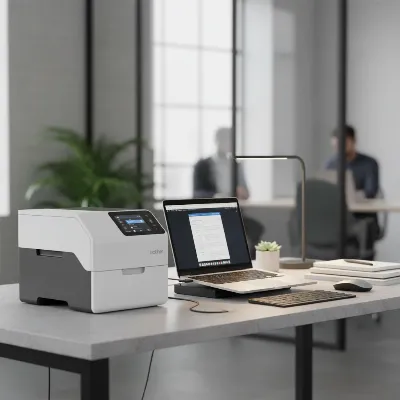 Brother ADS-3300W scanner in a modern, organized office workspace next to a laptop
Practical Tips for Maximizing Your Scanner’s Life
To ensure your Brother ADS-3300W continues to perform optimally for years, proper setup, usage, and maintenance are essential.
-
Effortless Setup and Installation: The initial setup of the ADS-3300W is remarkably straightforward. Brother provides an EasySetup utility and a comprehensive full driver & software package online. For wireless connectivity, the built-in Wireless Setup Wizard guides you through connecting to your network. Ensure you download the latest drivers and software from Brother’s official support website for the best performance and access to all features.
-
Regular Cleaning and Maintenance: Like any precision device, your document scanner benefits from routine care. Dust and paper residue can accumulate on the rollers and scanning glass, leading to streaks or poor image quality. Gently clean the scanning glass and rollers with a lint-free cloth and a specialized scanner cleaning solution (or isopropyl alcohol) to maintain optimal scan quality. Brother also offers an optional replacement roller kit (PRK-A3001), which can extend the scanner’s lifespan and maintain its feeding accuracy.
-
Troubleshooting Common Issues: While generally reliable, users might occasionally encounter minor issues. If documents are skewed, ensure the paper guides in the ADF are properly adjusted. If scans show streaks, it’s often a sign that the scanning glass or rollers need cleaning. For connectivity problems, verify your network settings and ensure the scanner’s firmware is up to date, which can be done using Brother’s Firmware Update Tool. Consult the online manuals and FAQs available on the Brother support site for detailed troubleshooting steps.
Conclusion
The Brother ADS-3300W Wireless High-Speed Desktop Scanner emerges as a highly capable and user-friendly device, perfectly suited for individuals and small to medium-sized businesses aiming to streamline their document management. Its impressive speed, versatile connectivity, intuitive touchscreen interface, and powerful image optimization features combine to offer a compelling solution for digitizing paper trails efficiently. While minor considerations like its susceptibility to dust or marginally slower searchable PDF conversion compared to its top-tier siblings exist, these are easily outweighed by its overall robust performance and value. By investing in the ADS-3300W, you’re not just buying a scanner; you’re adopting a tool that promises to improve your workflow, reduce clutter, and usher in an era of organized, accessible digital information.
Maximize Your Brother ADS-3300W Scanner's Life
Ensure optimal performance and longevity for your Brother ADS-3300W scanner by following these essential setup, usage, and maintenance tips.
Begin by downloading the latest drivers and software from Brother's official support website. Use the EasySetup utility and the Wireless Setup Wizard for seamless connection to your network, ensuring access to all features and best performance.
Maintain optimal scan quality by routinely cleaning the scanning glass and rollers. Use a lint-free cloth and a specialized scanner cleaning solution or isopropyl alcohol to remove dust and paper residue. Consider Brother's optional replacement roller kit (PRK-A3001) to extend the scanner's lifespan.
If documents are skewed, adjust the paper guides in the ADF. Streaks on scans often indicate dirty scanning glass or rollers, requiring cleaning. For connectivity problems, verify network settings and update the scanner's firmware using Brother's Firmware Update Tool.
Get our weekly buyer guide
Practical specs, not advice. Unsubscribe anytime.

I’ve been using the Brother ADS-3300W for a few weeks now, and it’s been a game-changer for my home office. The 40 ppm scanning speed is no joke; I can get through stacks of invoices and receipts in minutes. The wireless connectivity is super convenient too, letting me scan directly to my cloud storage without any fuss. Definitely recommend it for anyone drowning in paperwork.
I was looking for a reliable sheet-fed scanner and the Brother ADS-3300W totally delivered. It’s so much faster than my old flatbed scanner for multi-page documents. The image quality is consistently clear, and setting it up was surprisingly straightforward. This scanner is a fantastic investment for anyone needing to digitize a lot of paper quickly.
The Brother ADS-3300W is pretty good overall, especially for the price. The automatic document feeder works well for most standard papers. My only minor complaint is that sometimes it struggles a bit with slightly thicker cardstock, occasionally causing a jam. It’s not a deal-breaker, but something to be aware of if you scan a lot of varied media.
As a small business owner, the daily duty cycle of up to 6,000 sheets on the Brother ADS-3300W was a huge selling point for me. It handles our daily scanning volume with ease, and the duplex scanning feature saves so much time. It’s a solid workhorse and has definitely helped us streamline our document management process.