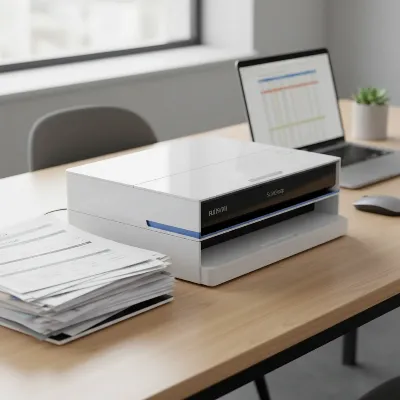
In today’s fast-paced digital world, managing paperwork efficiently is paramount for individuals and businesses alike. The sheer volume of double-sided documents—from contracts and reports to invoices and personal records—can quickly become overwhelming. This is where a duplex document scanner becomes an invaluable asset, transforming stacks of paper into organized, digital files with unprecedented speed and ease. If you’re looking to streamline your workflow, save time, and reduce clutter, understanding the capabilities of the best duplex document scanners is your first step towards a truly paperless or paper-light environment. This comprehensive guide will walk you through everything you need to know, helping you find the perfect device to meet your document digitization needs.
A Comprehensive Guide to Document Scanners
Popular Types of Document Scanners
When exploring document scanners, understanding the different types available is crucial, especially concerning their ability to handle double-sided pages.
- Sheet-fed Scanners (ADF Scanners): These are the workhorses for duplex scanning. Equipped with an Automatic Document Feeder (ADF), they can automatically process multiple pages, scanning both sides in a single pass. This design is ideal for high-volume tasks, making them a staple in offices and for users digitizing extensive archives. Their efficiency lies in their ability to continuously feed documents, minimizing manual intervention.
- Flatbed Scanners: Traditionally, flatbed scanners are designed for single pages, delicate items, or bound materials like books, where documents are placed manually on a glass surface. While some flatbed models now incorporate an ADF for sheet-fed scanning, a dedicated flatbed primarily offers single-sided scanning unless paired with an ADF that supports duplexing.
- Mobile Scanners: Compact and lightweight, mobile scanners are designed for professionals on the go. Many portable models now feature duplex capabilities, allowing two-sided documents to be scanned quickly even without a power outlet, often relying on USB power. Their small footprint makes them excellent for limited desk space or fieldwork, though their ADF capacity and speed might be lower than desktop sheet-fed models.
- Specialty Scanners: This category includes scanners designed for specific tasks, such as large-format documents, photos, or microfiche. While some specialty scanners may offer duplex features, their primary function caters to niche requirements, often with advanced image processing for their particular media.
Comparing Document Scanner Types
Choosing the right scanner involves weighing factors like scanning speed, resolution, document capacity, and special features. Here’s a comparison to highlight the strengths and weaknesses of different types, particularly focusing on their duplex capabilities.
| Feature | Sheet-fed (ADF) Scanners | Flatbed Scanners (with/without ADF) | Mobile Scanners |
|---|---|---|---|
| Duplex Scanning | Excellent (single-pass, high speed) | Limited (requires ADF, or manual flipping for flatbed-only) | Good (increasingly common, decent speed for portability) |
| Speed (PPM/IPM) | High (30-100+ PPM/60-200+ IPM) | Low (5-15 PPM for ADF, manual for flatbed) | Moderate (10-30 PPM/20-60 IPM) |
| Resolution | Good (300-600 DPI common, up to 1200 DPI) | Excellent (600-1200 DPI typical for flatbed) | Good (300-600 DPI typical) |
| Document Size | Standard paper, business cards, long documents | Books, fragile items, odd sizes, standard paper (with ADF) | Standard paper, receipts, business cards |
| ADF Capacity | High (20-100+ sheets) | Low to Moderate (20-60 sheets for ADF) | Low (1-20 sheets) |
| Connectivity | USB, Wi-Fi, Ethernet | USB, Wi-Fi (less common) | USB, Wi-Fi |
| Special Features | OCR, image correction, blank page removal, cloud integration | Book-edge scanning, high-detail photo scanning | Compact design, battery power, direct-to-cloud/mobile scan |
| Price Range | Mid to High | Low to Mid (flatbed only), Mid to High (with ADF) | Low to Mid |
| Pros | Fastest for multi-page duplex, highly automated, efficient | Best for delicate/bound items, high image quality | Portable, space-saving, ideal for on-the-go scanning |
| Cons | Not ideal for fragile/bound documents | Slow for multi-page duplex, larger footprint | Lower ADF capacity, generally slower, lower daily duty cycle |
> “Duplex scanners help digitize double-sided documents quickly, cutting scanning time in half and significantly boosting productivity by automating the process.”
How to Select a Duplex Document Scanner
Choosing the right duplex document scanner involves a careful assessment of your specific needs and a clear understanding of the features that contribute to optimal performance.
Determine Your Usage Needs
Begin by defining how you’ll primarily use the scanner:
- Personal Use/Home Office: For occasional scanning of bills, receipts, or small document batches, a compact, budget-friendly duplex scanner with moderate speed and ADF capacity (20-30 sheets) might suffice. Portability could also be a key factor.
- Small to Medium Business/Workgroup: For regular scanning of contracts, invoices, and reports, you’ll need higher speeds (30-50 PPM), a larger ADF (50-100 sheets), robust software with OCR, and reliable connectivity options like Wi-Fi or Ethernet for network sharing.
- Large Enterprise/High-Volume Operations: Demanding environments require production-level scanners with very high speeds (60+ PPM), large ADF capacities (100+ sheets), heavy daily duty cycles, advanced image processing, and seamless integration with document management systems.
Key Factors to Consider
Once your needs are clear, evaluate these critical specifications:
- Scanning Speed (PPM/IPM): Pages Per Minute (PPM) refers to single-sided scanning, while Images Per Minute (IPM) indicates the total images scanned, useful for duplex models (e.g., a 30 PPM scanner might be 60 IPM if scanning both sides simultaneously). Higher numbers mean faster processing, crucial for large batches.
- Optical Resolution (DPI): Dots Per Inch (DPI) determines the detail captured. For standard text documents, 200-300 DPI is usually sufficient for readability and searchable PDFs. If you scan graphics, photos, or documents with fine print, opt for 600 DPI or higher for superior image quality.
- Automatic Document Feeder (ADF) Capacity: This specifies how many pages the scanner can hold and feed automatically. A larger ADF capacity (e.g., 50-100 sheets) means less frequent reloading, significantly increasing efficiency when scanning large stacks of double-sided documents.
- Connectivity Options:
- USB: Standard for direct connection to a computer. USB 3.0 offers faster data transfer.
- Wi-Fi: Allows wireless scanning to computers, mobile devices, and cloud services, offering greater flexibility and placement options.
- Ethernet: Provides a stable wired network connection, ideal for shared office environments and higher security.
- Bundled Software and OCR: Good software enhances functionality. Look for:
- Optical Character Recognition (OCR): Essential for converting scanned images into searchable and editable text documents (e.g., Word, Excel, searchable PDFs).
- Image Enhancement Features: Automatic color detection, blank page removal, deskewing, auto-rotation, and background cleanup can save significant post-processing time.
- Cloud Integration: Direct scanning to services like Google Drive, Dropbox, Evernote, or SharePoint streamlines workflow and storage.
- Document Compatibility: Ensure the scanner can handle the types and sizes of documents you regularly scan. Some scanners support business cards, plastic ID cards, long receipts (up to 240 inches), or mixed media batches.
- Daily Duty Cycle: This metric, usually found in the scanner’s specifications, indicates the manufacturer’s recommended maximum number of pages to scan per day without premature wear. Match this to your expected scanning volume for long-term durability.
- Budget: Duplex scanners range in price from under $200 for portable or basic models to over $1000 for high-volume professional devices. Balance features with your budget, considering the long-term value and efficiency gains.
Top Duplex Document Scanners
The market offers a robust selection of duplex document scanners, each with unique strengths. Here are some highly-rated models that excel in various categories, offering efficiency for different user needs.
- Epson WorkForce ES-500W II: This desktop powerhouse is consistently praised for its speed and wireless functionality. It boasts 35 PPM/70 IPM single-pass duplex scanning, a 50-sheet ADF, and advanced image processing features like automatic color adjustment and blank page removal. Its Wi-Fi connectivity allows direct scanning to mobile devices or cloud services via the Epson Smart Panel app, making it ideal for busy home offices and small businesses seeking a versatile and intelligent scanner.
- Canon imageFORMULA R40: A strong contender for value, the R40 offers impressive speed at 40 PPM/80 IPM with a generous 60-sheet ADF. While it typically connects via USB and lacks a touchscreen, its robust performance, high-quality output, and efficient OCR capabilities make it a solid choice for users prioritizing speed and reliability on a tighter budget. It’s known for sharp results in various scanning modes.
- Brother ADS-1800W Wireless Compact Document Scanner: For those needing a balance of portability and power, the ADS-1800W stands out. It features a compact design, wireless connectivity, and a touchscreen display for intuitive operation. While its 20-sheet ADF is smaller than some, it still offers efficient duplex scanning, making it suitable for home offices or users with moderate scanning volumes who value space-saving design and direct-to-cloud functionality.
- Fujitsu ScanSnap iX1600: Often considered a premium choice, the iX1600 delivers 40 PPM/80 IPM and a 50-sheet ADF. Its standout feature is the large 4.3-inch touchscreen, allowing for intuitive, PC-free scanning to various destinations like email, network folders, or cloud services. With robust software for document management and exceptional image quality, it’s ideal for demanding office environments where ease of use and advanced features are paramount.
- Doxie Pro DX400: This portable scanner offers excellent versatility, handling documents, invoices, photos, and business cards. Its efficient two-sided scanning captures both sides in clear quality. Smart features like automatic text recognition, cropping, and contrast boost are built-in. Its compact design and intuitive software, along with direct integration with cloud apps, make it a great option for users needing a reliable and travel-friendly duplex scanner.
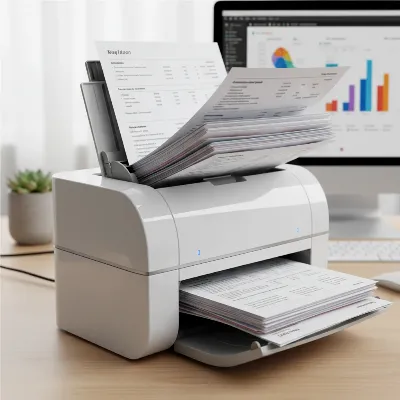 A modern, compact duplex document scanner efficiently processing a stack of double-sided documents in a contemporary office setting with natural light.
Tips for Using and Maintaining Your Duplex Document Scanner
To maximize the lifespan and efficiency of your duplex document scanner, proper usage and regular maintenance are essential. These practices will help ensure consistent, high-quality scans and prevent common issues.
Efficient Scanning Practices
- Prepare Documents: Before scanning, remove all staples, paper clips, sticky notes, and ensure pages are free of tears or wrinkles. Arrange documents neatly and fan them to prevent misfeeds. This simple step is critical for smooth operation, especially with an Automatic Document Feeder (ADF).
- Optimize Settings: Adjust scanning resolution (DPI) and color settings according to the document type. Use lower DPI (200-300) for standard text to minimize file size and maximize speed. Opt for higher DPI (600+) for images or detailed graphics. Utilize features like blank page detection and auto-rotation to streamline the process.
- Utilize OCR: Always enable Optical Character Recognition (OCR) when scanning documents that you might need to search or edit later. This transforms image-based scans into text-searchable PDFs or editable documents, greatly improving document management.
- Batch Scanning: Group similar documents together and use the ADF to process them in batches. This is where duplex scanners shine, as they efficiently capture both sides of multiple pages in one go.
- Regular Software Updates: Keep your scanner’s drivers and software updated. Manufacturers frequently release updates to improve performance, add features, and fix bugs.
Cleaning and Maintenance
- Clean Rollers and Glass: Dust and paper fibers can accumulate on the scanner rollers and glass, leading to streaks or misfeeds. Use a lint-free cloth dampened with a non-abrasive cleaner (or isopropyl alcohol as recommended by the manufacturer) to gently clean the rollers and the glass platen (if applicable) regularly.
- Check Consumables: Over time, ADF rollers and separation pads wear out. Consult your scanner’s manual for recommended replacement intervals. Worn parts can cause paper jams and misfeeds.
- Clear Paper Path: Occasionally check the paper path for any lodged paper fragments or debris. Most scanners have accessible panels for this purpose.
- Avoid Overloading the ADF: While ADFs are designed for volume, avoid exceeding the maximum sheet capacity. Overloading can lead to jams and stress the feeding mechanism.
- Store Properly: When not in use, keep your scanner covered or in a dust-free environment to protect internal components.
Troubleshooting Common Issues
- Paper Jams: If a jam occurs, carefully remove the jammed paper by following the scanner’s instructions. Avoid pulling forcefully, which can damage components. Clean the rollers if jams are frequent.
- Streaks or Lines: This usually indicates dirt or dust on the scanner’s glass or rollers. A thorough cleaning should resolve the issue.
- Poor Image Quality: Check resolution settings, ensure documents are clean, and verify that the glass and rollers are free of smudges. Adjust brightness and contrast settings if needed.
- Connectivity Problems: For Wi-Fi issues, ensure the scanner is within range of your router. Reinstall drivers or check network settings for both wired and wireless connections if problems persist.
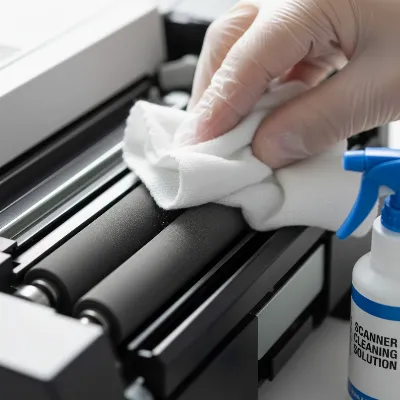 A close-up, detailed shot of a person carefully cleaning the feed rollers of a duplex document scanner with a specialized lint-free cloth and cleaning solution.
Conclusion
Embracing a duplex Document Scanner is a pivotal step towards enhancing productivity, streamlining document management, and reducing reliance on physical paperwork. By understanding the different types available, carefully evaluating key features like speed, resolution, ADF capacity, and software, and committing to proper maintenance, you can select a device that perfectly aligns with your specific needs. The ability to effortlessly convert double-sided documents into organized, searchable digital files not only saves valuable time and space but also contributes to a more efficient and secure workflow.
Ready to transform your document management? Consider your daily scanning volume, connectivity preferences, and the types of documents you handle most often. What impact could a dedicated duplex scanner have on your daily operations or personal organization?
Frequently Asked Questions
What is the main advantage of a duplex scanner over a simplex scanner?
The primary advantage of a duplex scanner is its ability to scan both sides of a document simultaneously in a single pass. This significantly reduces the time and effort required for digitizing double-sided pages compared to a simplex scanner, which only scans one side at a time and requires manual flipping.
Can all duplex scanners handle different document sizes in a single batch?
While many duplex scanners with Automatic Document Feeders (ADFs) can handle a mix of standard document sizes like letter and legal, some may struggle with very small items (like receipts or business cards) or very thick media (like plastic cards) in a mixed batch. Always check the scanner’s specifications for its document compatibility and consider models with special slots or guides for non-standard items.