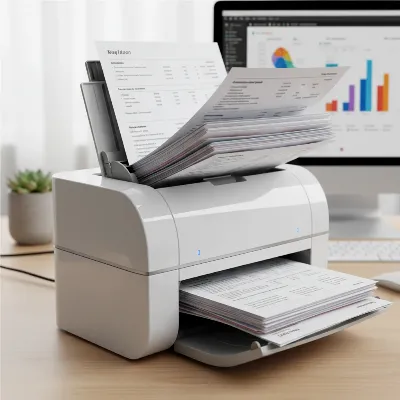
The modern remote work landscape, while offering unparalleled flexibility, often introduces a unique set of challenges, particularly when it comes to managing physical documents. From contracts and invoices to receipts and handwritten notes, paper clutter can quickly accumulate, hindering productivity and organizational efficiency. A portable document scanner emerges as an indispensable tool, transforming physical paperwork into easily manageable digital files, ensuring remote workers remain agile and productive no matter their location.
These compact devices are designed to bridge the gap between tangible and digital information, offering a streamlined solution for digitizing documents on the go. Whether you’re working from a home office, a co-working space, or even a coffee shop, a portable document scanner provides the power to capture, organize, and share critical information with ease, freeing up valuable physical space and enhancing accessibility to your essential records.
Understanding Portable Document Scanners
Portable document scanners are compact, lightweight devices specifically engineered for users who need to digitize paper documents away from a traditional office setup. Unlike bulky desktop scanners, these models prioritize mobility, often featuring USB power or rechargeable batteries, making them suitable for travel and dynamic work environments. They typically handle various document types, from business cards and receipts to multi-page reports.
For remote workers, the benefits extend beyond mere convenience. These scanners are crucial for maintaining an efficient, paperless workflow, allowing for quick processing of physical documents that often arise unexpectedly. They ensure that important information is immediately accessible, shareable, and securely stored in the cloud, preventing delays and improving overall operational fluidity in a distributed team setting.
Key Features to Consider When Choosing a Portable Scanner
Selecting the right portable document scanner requires understanding the features that best support a remote work lifestyle. Focusing on these elements ensures your chosen device enhances productivity without adding unnecessary complexity.
Portability (Size & Weight)
Table is empty.The essence of a portable scanner lies in its size and weight. Remote workers need a device that can easily fit into a laptop bag or backpack without adding significant bulk. Look for models weighing around one pound or less and boasting a slim profile. A truly portable scanner should be unobtrusive, ready to be deployed quickly in confined spaces, and effortless to carry throughout your workday.
Power Source (USB vs. Battery)
Power flexibility is paramount for remote work. Many portable scanners are conveniently USB-powered, drawing energy directly from your laptop, eliminating the need for an external power adapter. For ultimate freedom, battery-powered models offer the ability to scan wirelessly anywhere, ideal for situations where outlets are scarce. A good battery life, capable of scanning hundreds of pages on a single charge, can be a game-changer.
Scanning Speed & Duplex Capability
Efficiency is key, especially when dealing with multiple documents. Scanning speed, measured in pages per minute (ppm), indicates how quickly the device processes documents. For remote workers, speeds of 8-16 ppm are generally sufficient. Duplex scanning, which captures both sides of a document in a single pass, is a highly valuable feature, saving considerable time and effort compared to manual two-sided scanning.
Resolution (DPI)
Resolution, expressed in dots per inch (DPI), determines the clarity and detail of your scanned images. For standard text documents, 300 DPI is usually adequate for crisp, readable files. If you frequently scan documents with fine print, detailed graphics, or photos, a higher resolution of 600 DPI or more will ensure better quality and preservation of detail. Most scanners allow you to adjust the DPI settings based on your specific needs.
Connectivity (USB, Wi-Fi)
Diverse connectivity options enhance a scanner’s versatility. USB connectivity is a standard feature, providing a reliable wired connection to your computer. For added convenience and flexibility, Wi-Fi connectivity allows you to wirelessly send scanned files directly to a computer, tablet, smartphone, or even cloud services, reducing cable clutter and enabling true on-the-go operation.
Software & Cloud Integration
The accompanying software is as important as the hardware itself. Robust software often includes Optical Character Recognition (OCR) technology, which converts scanned images into searchable and editable text files, significantly boosting productivity. Seamless integration with popular cloud services like Dropbox, Google Drive, Evernote, and SharePoint ensures your digitized documents are automatically uploaded, organized, and accessible from anywhere.
Automatic Document Feeder (ADF)
While not all portable scanners include an ADF, it’s a highly desirable feature for batch scanning. An ADF allows you to load multiple pages (typically 10-20 sheets for portable models) and scan them consecutively without manual feeding, making quick work of multi-page contracts, reports, or stacks of receipts. This automation can be a significant time-saver for remote workers who handle frequent document processing.
Top 5 Portable Document Scanners for Remote Workers
Choosing the right portable document scanner can significantly enhance a remote worker’s efficiency and organization. Here are five top contenders that stand out for their blend of portability, performance, and features tailored for the modern digital nomad.
Epson WorkForce ES-60W
The Epson WorkForce ES-60W is an exceptionally lightweight and compact portable scanner, making it a favorite among remote workers who prioritize true mobility. Weighing less than a pound, it easily slips into any bag. Its key selling point is wireless connectivity, allowing you to scan directly to your computer, tablet, or smartphone without cables, powered by an internal rechargeable battery.
- Pros: Extremely lightweight and compact, wireless scanning with battery power, excellent software bundle including OCR, simple setup.
- Cons: Slower scanning speed compared to some competitors, single-sheet feed (no ADF).
- Ideal for: Remote workers who need ultimate portability and wireless freedom for occasional single-page or small batch scanning. Perfect for scanning receipts, business cards, and important documents on the fly.
Brother DS-940DW
The Brother DS-940DW offers a robust solution for remote workers seeking a blend of portability and advanced functionality, particularly its impressive duplex scanning capability. This scanner can capture both sides of a document in a single pass at a respectable speed, significantly improving efficiency for multi-page documents. Its unique “U-path” paper feed system reduces the required desk space, making it ideal for cramped workstations.
- Pros: Fast duplex (two-sided) scanning, very compact footprint with U-path design, flexible power via USB or optional battery, accurate OCR software.
- Cons: No ADF for larger batches, some users might find the setup slightly more involved.
- Ideal for: Remote professionals who frequently scan multi-page documents and require fast, efficient duplex scanning in a compact form factor.
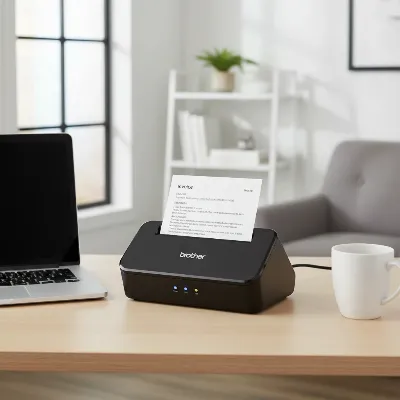 Brother DS-940DW portable document scanner on a minimalist desk with a laptop and coffee, illustrating compact design for remote work.
Canon imageFORMULA R10
The Canon imageFORMULA R10 strikes an excellent balance between portability and batch scanning capabilities, thanks to its integrated Automatic Document Feeder (ADF). This feature allows remote workers to scan up to 20 pages consecutively, a significant advantage for digitizing reports or stacks of invoices. It’s USB-powered, ensuring you can operate it simply by connecting it to your laptop, making it a reliable choice for various remote setups.
- Pros: Features a 20-sheet ADF for batch scanning, USB-powered for convenience, solid scanning speed, includes CaptureOnTouch Lite software for searchable PDFs.
- Cons: Slightly larger and heavier than single-sheet portable scanners, no built-in wireless connectivity.
- Ideal for: Remote workers who need to handle moderate volumes of multi-page documents regularly and value the efficiency of an ADF without sacrificing too much portability.
Fujitsu ScanSnap iX100
The Fujitsu ScanSnap iX100 is designed for ultimate scanning independence, offering battery-powered operation and Wi-Fi connectivity that allows direct scanning to mobile devices or cloud services. This scanner is incredibly compact and lightweight, making it an excellent companion for remote workers who are constantly on the move and need to scan documents in diverse locations without being tethered to a power outlet or computer.
- Pros: Battery-powered with Wi-Fi for true untethered scanning, extremely compact and lightweight, fast for a single-sheet scanner, seamless integration with ScanSnap Cloud for direct uploads.
- Cons: Single-sheet feed only (no ADF), relatively higher price point, slower for very high volumes.
- Ideal for: Remote workers who require maximum flexibility and the ability to scan documents anywhere, anytime, directly to their preferred cloud service or mobile device.
Xerox Duplex Travel Scanner
The Xerox Duplex Travel Scanner is an incredibly lightweight and slim option, designed for the minimalist remote worker or frequent business traveler. It offers efficient duplex scanning in a remarkably compact form factor, making it one of the smallest and lightest scanners available. USB-powered operation means you only need your laptop to get it up and running, streamlining your travel setup.
- Pros: Exceptionally small and light, efficient duplex scanning, USB-powered for simplicity, good for a variety of document types from cards to legal sheets.
- Cons: Limited software features compared to some rivals, lower volume capacity, single-sheet feed.
- Ideal for: Remote workers and business travelers who need the absolute smallest and lightest scanner for quick, on-the-go digitization of receipts, business cards, and individual documents.
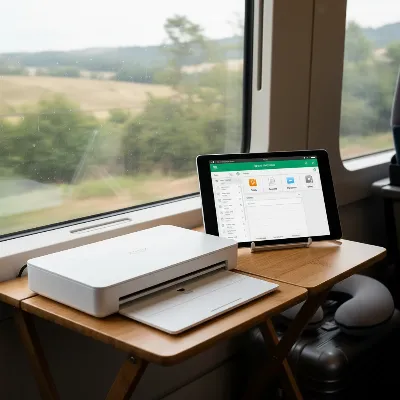 Xerox Duplex Travel Scanner on a small portable desk with a tablet, emphasizing its ultra-compact size for remote work.
Comparison Table: Top Portable Document Scanners
| Model | Weight (approx.) | Power Source | Scan Speed (simplex/duplex) | ADF Capacity | Connectivity | Key Feature for Remote Work |
|---|---|---|---|---|---|---|
| Epson WorkForce ES-60W | 0.66 lbs | USB / Battery | 4 ppm (wireless slower) | Single sheet | USB, Wi-Fi | Ultra-light, wireless freedom |
| Brother DS-940DW | 1.5 lbs | USB / Optional Battery | 16 ppm (duplex) | Single sheet | USB, Wi-Fi | Fast duplex scanning, space-saving U-path |
| Canon imageFORMULA R10 | 2.2 lbs | USB | 12 ppm (duplex) | 20 sheets | USB | Built-in ADF for batch scanning |
| Fujitsu ScanSnap iX100 | 0.88 lbs | Battery | 5.2 ppm (color) | Single sheet | USB, Wi-Fi | True portability, battery-powered Wi-Fi |
| Xerox Duplex Travel Scanner | 1.0 lbs | USB | 8 ppm (duplex) | Single sheet | USB | Smallest and lightest duplex scanner |
Maximizing Your Portable Scanner
A portable document scanner is a powerful tool, but its effectiveness can be amplified with a few strategic tips for usage and maintenance. Integrating these practices into your remote workflow will ensure optimal performance and longevity for your device.
Tips for Efficient Scanning
To maximize efficiency, always prepare your documents before scanning. Ensure pages are free of staples, paper clips, or tears that could cause jams. Flatten any crumpled papers to ensure a smooth feed. Utilize your scanner’s bundled software to set optimal resolution and file format (e.g., searchable PDF for text documents) before you begin. For multi-page documents, arrange them in the correct order to avoid post-scan reorganization. Batch scanning with an ADF, if available, can save significant time. Remember to choose an appropriate scanning destination, such as a specific cloud folder or local directory, for easy retrieval later.
Maintenance & Care
Regular maintenance is vital for extending the life of your portable scanner and ensuring consistent scan quality. Periodically clean the scanner’s rollers and glass platen (if applicable) using a soft, lint-free cloth and a mild cleaning solution recommended by the manufacturer. Dust and paper residue can accumulate, leading to streaks or misfeeds. Keep the scanner in its protective case or a dedicated compartment in your bag when traveling to prevent damage from bumps or spills.
Troubleshooting Common Issues
While portable scanners are generally reliable, occasional issues can arise. If documents are misfeeding or jamming, first check for any obstructions in the paper path and ensure the document guides are correctly aligned. Streaks on scans often indicate dirty rollers or glass, so a thorough cleaning is usually the solution. If your scanner isn’t connecting, verify USB cables are securely plugged in or check your Wi-Fi settings. Always consult your scanner’s user manual for specific troubleshooting steps and contact customer support if problems persist.
Conclusion
For the modern remote worker, a portable document scanner is more than just a convenience; it’s a necessity for maintaining an organized, efficient, and adaptable workflow. These compact powerhouses enable seamless digitization of physical documents, transforming paper clutter into accessible digital assets that can be stored, shared, and managed from any location. By prioritizing features like true portability, flexible power options, efficient duplex scanning, and robust software, you can select a device perfectly tailored to your unique remote work demands.
Investing in one of the top portable document scanners means investing in enhanced productivity and peace of mind, ensuring your critical information is always at your fingertips. With the right scanner, you’re not just digitizing documents; you’re future-proofing your work, one scan at a time. What steps will you take to declutter your remote workspace and embrace a more digital workflow today?
Frequently Asked Questions
What is the primary benefit of a portable document scanner for remote workers?
The primary benefit is the ability to digitize physical documents efficiently from any location, eliminating paper clutter, enhancing document accessibility, and enabling a fully remote, paperless workflow. This portability allows workers to stay organized and productive regardless of their physical workspace.
Can portable scanners handle multiple pages at once?
Many portable Document Scanners designed for remote workers include an Automatic Document Feeder (ADF), which allows them to scan multiple pages sequentially, typically between 10 to 20 sheets. This feature is excellent for batch scanning reports or contracts quickly.
Do portable scanners require a power outlet?
Not always. While some portable scanners can be powered via a traditional AC adapter, many are USB-powered, drawing energy directly from a laptop. Additionally, several models feature rechargeable batteries, offering true wireless scanning freedom without needing any external power source for extended periods.
What is OCR and why is it important for remote work?
OCR (Optical Character Recognition) is technology that converts scanned images of text into machine-readable text data. For remote workers, OCR is crucial because it makes digitized documents searchable and editable, allowing for easy information retrieval and integration into digital workflows.
How does Wi-Fi connectivity benefit a portable scanner?
Wi-Fi connectivity in a portable scanner provides the flexibility to send scanned documents wirelessly to computers, smartphones, tablets, or directly to cloud storage services. This eliminates the need for physical cables and enables instant sharing and backup of documents from anywhere with a Wi-Fi signal.