High-quality document scanners are indispensable tools for law firms and accounting practices, transforming how critical information is digitized, organized, and secured. These sectors, inherently paper-intensive, benefit from scanners that offer features like Optical Character Recognition (OCR), high speed, and robust daily duty cycles to manage vast volumes of sensitive documents efficiently. This guide details the types of scanners, essential features, and maintenance tips to optimize document management for legal and accounting professionals.
Document Scanners: A Comprehensive Guide
Types of Document Scanners for Professional Use
Choosing the right document scanner begins with understanding the different types available and how each serves specific professional needs. Law firms and accounting practices encounter a diverse range of documents, from fragile historical records to high-volume daily paperwork, necessitating a tailored approach to scanner selection.
Flatbed Scanners Flatbed scanners offer unparalleled versatility, making them ideal for handling delicate, bound, or irregularly sized documents that cannot pass through an automatic feeder. These scanners feature a flat glass surface where documents are placed for scanning. They excel in situations requiring high fidelity and careful handling of materials that might otherwise be damaged.
- Description: A scanner with a flat glass surface, suitable for single pages, books, magazines, or fragile items.
- Pros: High resolution for intricate details, excellent color accuracy, versatile document handling including bound materials and delicate originals.
- Cons: Slow for high-volume tasks as each page must be manually placed and removed, lacks automatic feeding capabilities.
- Typical Use: Scanning exhibits, historical documents, client passports, book pages, or small, irregular receipts that cannot go through an ADF.
Automatic Document Feeder (ADF) Scanners / Sheet-fed Scanners ADF scanners, often referred to as sheet-fed scanners, are the workhorses of busy professional environments. They are specifically engineered for rapid, high-volume batch scanning of loose pages, dramatically increasing productivity by minimizing manual intervention. These scanners come equipped with a feeder mechanism that automatically processes multiple documents in sequence.
- Description: Designed for continuous scanning of multiple loose pages, featuring a tray (ADF) to hold a stack of documents.
- Pros: Exceptional speed, often featuring duplex scanning (single-pass scanning of both sides simultaneously), high daily duty cycles, significant efficiency gains for large document batches.
- Cons: Not suitable for bound documents, very delicate papers, or irregular items that cannot be fed through the mechanism.
- Typical Use: Digitizing case files, client financial records, invoices, contracts, and other multi-page documents in bulk.
Mobile/Portable Scanners Mobile or portable scanners address the need for scanning on the go, making them invaluable for professionals who frequently work outside the main office or require a compact solution for limited desk space. These devices prioritize portability without entirely sacrificing essential features.
- Description: Compact, lightweight scanners designed for easy transport and use in various locations.
- Pros: High portability, often includes duplex scanning and wireless connectivity (Wi-Fi), ideal for remote work or small individual workspaces.
- Cons: Generally have lower daily duty cycles and smaller ADF capacities (sometimes single-sheet feed only), not designed for continuous heavy-duty scanning.
- Typical Use: Scanning documents during client visits, at court, or for remote accounting tasks, digitizing receipts on business trips.
|
Our Picks for the Best Document Scanner in 2026
As an Amazon Associate I earn from qualifying purchases.
|
||
| Num | Product | Action |
|---|---|---|
| 1 | ScanSnap iX1300 Compact Wireless or USB Double-Sided Color Document, Photo & Receipt Scanner with Auto Document Feeder and Manual Feeder for Mac or PC, White |

|
| 2 | Epson WorkForce ES-50 Portable Sheet-Fed Document Scanner for PC and Mac |
|
| 3 | Brother DS-640 Compact Mobile Document Scanner, (Model: DS640) 1.5"x2"x11.9" |
|
| 4 | Doxie Pro DX400 - Duplex Document Scanner and Receipt Scanner For Home and Office With Amazing Software for Mac and PC |
|
| 5 | ScanSnap iX1300 Compact Wireless or USB Double-Sided Color Document, Photo & Receipt Scanner with Auto Document Feeder and Manual Feeder for Mac or PC, Black |
|
| 6 | Canon imageFORMULA R40 Office Document Scanner Receipt Edition, for PC and Mac, Scan & Extract Data to QuickBooks Online, Color Duplex Scanning, Auto Document Feeder, Easy Setup for Office Or Home Use |
|
| 7 | Epson Workforce ES-C220 Compact Desktop Document Scanner with 2-Sided Scanning and Auto Feeder (ADF) for PC as Well as Mac |
|
| 8 | ScanSnap iX2500 Wireless or USB High-Speed Cloud Enabled Document, Photo & Receipt Scanner with Large 5" Touchscreen and 100 Page Auto Document Feeder for Mac or PC, White |
|
| 9 | ScanSnap iX2500 Wireless or USB High-Speed Cloud Enabled Document, Photo & Receipt Scanner with Large 5" Touchscreen and 100 Page Auto Document Feeder for Mac or PC, Black |
|
| 10 | Canon imageFORMULA R10 - Portable Document Scanner, USB Powered, Duplex Scanning, Document Feeder, Easy Setup, Convenient, Perfect for Mobile Users |
|
Specialty Scanners While not always a primary purchase, specialty scanners cater to very specific niche requirements. These can include large-format scanners for oversized documents like blueprints or architectural plans, or ID card scanners designed to efficiently capture small, rigid cards. While less common for general legal or accounting use, they highlight the diverse range of scanning solutions available for highly specialized tasks within a firm.
Essential Features for Law Firms and Accounting Practices
Selecting the optimal document scanner for legal and accounting professionals goes beyond just identifying the scanner type; it requires a deep dive into crucial features that directly impact efficiency, accuracy, and compliance. Given the sensitive nature of documents handled in these fields, robust functionality is not just a convenience but a necessity.
OCR (Optical Character Recognition) OCR technology is perhaps the most critical feature for any professional document scanner in these sectors. It transforms scanned images of text into machine-readable, searchable, and editable data. For law firms, this means quickly locating specific clauses within vast case files, contracts, or depositions. For accounting firms, it enables the extraction of vital information like invoice numbers, dates, and amounts, dramatically reducing manual data entry and potential errors. An accurate OCR engine saves countless hours of manual searching and data input, making digital documents genuinely useful.
High Speed and Daily Duty Cycle The sheer volume of paperwork in legal and accounting environments demands scanners capable of handling large loads quickly. Scanner speed, measured in pages per minute (PPM) and images per minute (IPM for duplex), directly impacts productivity. Equally important is the daily duty cycle, which indicates the maximum number of pages a scanner is designed to process reliably each day. High-volume firms require scanners with high PPM/IPM ratings and robust duty cycles (e.g., 5,000-10,000+ pages per day) to ensure consistent performance without premature wear.
Duplex Scanning (Single-Pass) Duplex scanning refers to the ability to scan both sides of a document. Single-pass duplex scanners achieve this in one pass, effectively doubling the scanning speed and efficiency compared to models that require documents to be flipped manually. This feature is invaluable for legal documents like contracts and accounting records such as bank statements, which are often double-sided.
Automatic Document Feeder (ADF) An ADF is essential for batch scanning, allowing a stack of documents to be loaded and processed automatically without continuous manual feeding. The capacity of the ADF (e.g., 50-sheet, 100-sheet) determines how many pages can be scanned in a single batch. A larger ADF capacity means less frequent reloading, further enhancing efficiency for multi-page documents.
High Resolution (DPI) Resolution, measured in dots per inch (DPI), dictates the level of detail captured in a scan. While 300 DPI is generally sufficient for most text documents, higher resolutions (e.g., 600 DPI or 1200 DPI) ensure exceptional clarity and accuracy for documents with fine print, detailed images, or handwritten notes, which are common in legal and financial contexts. Ensuring every detail of a legal exhibit or a small entry on a financial ledger is perfectly legible is paramount.
Software Integration & Document Management Systems (DMS) A scanner’s true value is amplified by its ability to integrate seamlessly with existing document management systems (DMS) or practice-specific software. For law firms, compatibility with legal practice management platforms (e.g., Clio, Worldox, NetDocs) allows for direct filing and categorization of scanned documents into client or case files. Accounting firms benefit from integration with accounting software (e.g., Xero, QuickBooks) for automated data entry and workflow automation. Features like automated indexing, metadata tagging, and workflow management within the software streamline operations and reduce manual organizational tasks.
Security Features Given the highly sensitive nature of client information in law and accounting, robust security features are non-negotiable. This includes data encryption during transfer and storage, role-based access permissions to restrict who can view or modify documents, and comprehensive audit trails that record all document activity. Compliance with regulations such as HIPAA and GDPR often hinges on these security measures, making them a top priority.
Connectivity Modern scanners offer various connectivity options. USB is standard for direct connection to a single computer. Wi-Fi provides wireless flexibility, allowing the scanner to be placed anywhere within network range and shared among multiple users. Ethernet connectivity offers a stable, high-speed network connection, ideal for departmental scanners in larger offices. Multiple options enhance flexibility and accessibility across a firm’s IT infrastructure.
Paper Handling The ability of a scanner to reliably handle a mixed batch of documents—varying in size, thickness, and condition—is crucial. This includes scanning everything from small receipts and ID cards to standard letter, legal, and even oversized (ledger/A3) documents. Advanced paper handling features, such as ultrasonic multi-feed detection, prevent multiple pages from being scanned as one, while “slow mode” settings protect fragile or wrinkled documents from damage during feeding.
Comparison Table of Key Scanner Types
| Feature / Type | Flatbed Scanner | ADF (Sheet-fed) Scanner | Mobile/Portable Scanner |
|---|---|---|---|
| Speed (PPM/IPM) | Very Low (Manual Feed) | High (25-100+ PPM/50-200+ IPM) | Low to Moderate (15-30 PPM) |
| Resolution (DPI) | Very High (Up to 4800+ DPI) | High (300-600 DPI typical, up to 1200 DPI) | Moderate to High (600-1200 DPI) |
| Document Size | Flexible (Letter, Legal, A3, Books, Irregular) | Standard (Letter, Legal, some A3), mixed batches | Small to Standard (Receipts, Letter, Legal) |
| Duplex Scanning | No (Manual Flip) | Yes (Single-Pass Common) | Often Yes (Single-Pass) |
| ADF Capacity | No | High (50-100+ sheets) | Low (Single sheet to 20 sheets) |
| Special Features | Excellent for delicate/bound items, 3D objects | Ultrasonic multi-feed detection, advanced image processing | Compact, battery power, Wi-Fi, direct to cloud |
| Typical Use (Legal) | Scanning exhibits, bound depositions, fragile wills | Digitizing case files, contracts, client intake forms | Scanning documents at court, client sites, or home office |
| Typical Use (Account) | Scanning audit books, large ledgers, delicate receipts | Processing invoices, tax documents, bank statements in bulk | Digitizing receipts on the go, client financial paperwork |
| Price Range | Low to Mid | Mid to High | Low to Mid |
Choosing the Right Document Scanner
Selecting the ideal document scanner requires a strategic assessment of your firm’s specific operational needs and long-term goals. A mismatch between scanner capabilities and firm requirements can lead to bottlenecks, inefficiencies, and increased costs, underscoring the importance of a thoughtful selection process.
Assess Your Firm’s Needs Before exploring specific models, take a moment to understand your firm’s unique scanning profile. This initial assessment will narrow down your options significantly and prevent over- or under-investing.
- Volume: How many pages do you typically scan in a day, week, or month? A small law office might only need a few hundred pages daily, while a large accounting department could process thousands. High volume necessitates a scanner with a robust daily duty cycle and fast speeds.
- Document Types: What kinds of documents will you be scanning? Are they mostly standard letter-sized loose sheets, or do you frequently handle bound books, delicate historical documents, small receipts, ID cards, or oversized ledgers? This dictates whether you need an ADF, a flatbed, or a combination.
- Team Size and Workflow: Is the scanner for an individual, a small workgroup, or a large department? Network connectivity (Wi-Fi/Ethernet) becomes crucial for multi-user environments. Consider how the scanner fits into existing document workflows and potential integrations.
- Mobility Requirements: Do attorneys or accountants need to scan documents while working remotely, at client sites, or in court? If so, a portable scanner is a must-have supplement to a main office scanner.
Key Factors to Consider Once your needs are clear, focus on these critical scanner attributes to make an informed decision:
- Speed and ADF Capacity: For firms dealing with significant paperwork, prioritizing high pages per minute (PPM) and a substantial Automatic Document Feeder (ADF) capacity is paramount. This ensures efficient batch processing and reduces the time spent on manual document loading.
- Resolution and Image Quality: While standard text documents often look fine at 300 DPI, legal contracts, financial statements, and documents with small text or intricate details benefit from higher resolutions (e.g., 600 DPI). Ensure the scanner can produce clear, legible, and accurate reproductions of all your critical documents.
- OCR Accuracy and Features: Optical Character Recognition (OCR) is fundamental for creating searchable and editable digital files. Evaluate the scanner’s bundled software for OCR performance, particularly its ability to handle various fonts, layouts, and even some handwritten text if applicable to your documents. Advanced OCR can automate data extraction from invoices or forms.
- Software & Integration: The scanner’s native software suite and its compatibility with your existing Document Management System (DMS), legal practice management software, or accounting software are crucial. Look for seamless integration capabilities, including direct scanning to specific folders, cloud services (Dropbox, Google Drive, SharePoint), email, and the ability to apply metadata automatically.
- Security Features: Given the confidential nature of client data, inquire about built-in security features. This includes options for secure PDF creation (password protection), user authentication, and data encryption. Ensure the scanner aligns with your firm’s compliance obligations (e.g., GDPR, HIPAA).
- Budget: Document scanners range widely in price, from a couple of hundred dollars for basic portable models to several thousand for high-volume production scanners. Balance your budget with the features and performance necessary to meet your firm’s demands without compromising on essential capabilities. Remember to factor in the total cost of ownership, including consumables (rollers, cleaning kits) and potential software subscriptions.
“Investing in the right document scanner is not just about digitizing paper; it’s about safeguarding sensitive information, enhancing accessibility, and ultimately empowering legal and accounting professionals to focus on high-value tasks rather than manual document management.” – Sarah Chen, Senior Legal Tech Consultant
Top Recommended Document Scanners for Professionals
Based on industry reviews, performance metrics, and features critical to law firms and accounting practices, several models consistently stand out. These recommendations cover various needs, from high-volume departmental use to mobile and specialized tasks.
High-Volume/Departmental Scanners: These are built for large offices with demanding daily scanning requirements, emphasizing speed, capacity, and durability.
- Fujitsu fi-8170: A compact yet powerful scanner known for its patented feeding technologies, reliability, and proprietary Clear Image Capture (CIC) technology. It offers high speeds and a substantial daily duty cycle, making it suitable for demanding legal and accounting workflows. Its ability to handle mixed documents and provide clear images is highly valued.
- Brother ADS-4900W: This high-volume network scanner boasts a large Automatic Document Feeder (ADF) and impressive speed, coupled with excellent accuracy. It’s ideal for mid-size to large firms looking to digitize documents in bulk, offering robust connectivity options (Wi-Fi, Ethernet, USB 3.0) and a comprehensive software suite with strong OCR capabilities.
- Epson DS-30000: Designed for larger organizations, this scanner supports both letter and A3-sized documents with a substantial ADF and a very high daily duty cycle. It’s a powerhouse for bigger law firms or accounting departments needing to process a wide range of document sizes at scale.
- Canon imageFORMULA DR-M160II: A professional heavy-duty scanner built for continuous, industrial-strength scanning. Its robust durability, high daily duty cycle, and versatile paper handling make it excellent for mixed batch scanning, accurately handling documents, card stock, and plastic cards within the same job. It often comes bundled with professional image processing software.
Mid-Volume/Small Office Scanners: These strike a balance between performance, features, and footprint, suitable for smaller teams or individual power users.
- Fujitsu ScanSnap iX1600: Known for its user-friendly design and smart features, including a large color touchscreen that allows for custom profiles and one-touch scanning to various destinations (email, cloud, folders). It offers good speed and ADF capacity, making it a favorite for streamlining workflows in small offices or home offices.
- Epson DS-530 II Color Duplex Document Scanner: This scanner offers a good balance of speed and convenience with color and duplex scanning. It can handle various document types and sizes with a 50-page ADF, and integrates well with cloud services like Dropbox and Google Drive, enhancing accessibility.
- Canon imageFORMULA R40 Document Scanner: A top-tier choice for everyday document scanning in small offices or home setups. It scans at a good speed, supports duplex scanning, and has a decent ADF capacity, providing reliable performance for serious workloads.
Portable/Mobile Scanners: Essential for professionals who need to scan away from the main office.
- Brother DSMobile DS-940DW Portable Scanner: A compact wireless scanner offering duplex scanning, Wi-Fi, and USB connectivity. It’s ideal for remote workers, allowing direct scanning to mobile devices or cloud storage. It’s built for quick jobs on the move, despite its small size.
- Epson RapidReceipt RR-60 Mobile Receipt and Document Scanner: Designed with financial professionals in mind, this tiny scanner is perfect for scanning and organizing receipts, invoices, and tax forms on the go. It’s notably compact and offers a respectable scanning resolution, making it a capable mobile option for accountants.
Flatbed Scanners (for delicate/bound documents): When an ADF isn’t suitable, a flatbed is indispensable.
- Canon CanoScan Lide 400 Slim Scanner: An affordable, easy-to-use flatbed scanner with high scanning resolution. It’s excellent for scanning single sheets, book pages, delicate documents, or items that cannot be fed through an ADF. Its auto-scan function simplifies the process for occasional use.
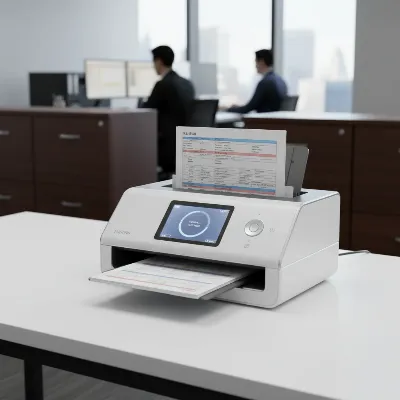 A sleek, professional document scanner on a modern office desk, processing a stack of legal documents with a glowing digital interface. The background shows a subtly blurred law firm or accounting office environment, emphasizing efficiency and technology.
Tips for Using and Maintaining Your Document Scanner
Maximizing the lifespan and efficiency of your document scanner, especially in high-demand environments like law and accounting, relies heavily on consistent best practices for usage and maintenance. A well-cared-for scanner not only performs better but also reduces the risk of costly downtime and repairs.
Efficient Scanning Practices Strategic document preparation and scanner settings can significantly enhance the quality and speed of your digitization process.
- Prepare Documents Meticulously: Before feeding any document into an ADF, always remove staples, paper clips, sticky notes, and any other obstructions. Flatten creases and smooth out wrinkled pages to prevent jams and ensure a clear scan. This simple step is critical for avoiding paper jams, which can damage both the documents and the scanner.
- Sort Documents by Type and Size: For optimal performance, try to group similar-sized and similar-quality documents together for batch scanning. Mixed media can sometimes cause feeding issues or require different settings, slowing down the process. Scan delicate or unusually sized documents using the appropriate method (e.g., flatbed or slow mode).
- Optimize Scanner Settings: Adjust your scanner’s DPI (resolution) according to the document type. While 300 DPI is often sufficient for standard text, legal documents with fine print or images may require 600 DPI for optimal clarity. Use black and white scanning for text-only documents to save storage space and increase speed, reserving color scanning for images or specific legal exhibits where color accuracy is essential.
- Implement Consistent File Naming Conventions: Establish a standardized naming structure for your scanned files (e.g., “ClientName_CaseNumber_DocumentType_Date” for legal firms, or “ClientName_TaxYear_DocumentType_Date” for accountants). Consistent naming and metadata tagging, often supported by scanner software, are crucial for quick retrieval and integration into your Document Management System.
Maintenance for Longevity Regular cleaning and attention to consumables are paramount for extending your scanner’s operational life and maintaining peak performance.
- Routine Cleaning is Essential: Dust, paper fibers, and ink residue can accumulate on the scanner glass, rollers, and optical sensors, leading to streaks, smudges, and misfeeds. Unplug your scanner from the power socket before cleaning. Use a soft, lint-free cloth dampened with a mild, non-abrasive glass cleaner (or isopropyl alcohol for stubborn marks) to gently wipe the scanner glass and plastic surfaces. For rollers, use a slightly damp cloth or a manufacturer-approved roller cleaning kit. Ensure all parts are dry before reassembly.
- Monitor and Replace Consumables: Over time, components like feed rollers and separation pads wear out, losing their grip and causing paper jams or multiple sheets to feed at once. Many professional scanners have a counter for these parts. Check your scanner’s manual for recommended replacement intervals and always use genuine manufacturer parts for best results.
- Keep Software and Firmware Updated: Regularly update your scanner’s drivers and firmware from the manufacturer’s website. Updates often include bug fixes, performance enhancements, and compatibility improvements with newer operating systems and software, ensuring your scanner operates smoothly and securely.
- Protect from Environmental Factors: Keep your scanner in a dust-free environment if possible, and use a dust cover when it’s not in use. Avoid exposing it to extreme temperatures or direct sunlight, which can degrade internal components over time.
Troubleshooting Common Issues Even with the best practices, issues can arise. Knowing how to quickly troubleshoot common problems can save time and prevent minor glitches from escalating.
- Paper Jams: If paper jams frequently, first check for any remaining paper scraps, staples, or debris in the feeder path. Ensure documents are properly prepared (flattened, no obstructions). Inspect feed rollers and separation pads for wear; if they appear smooth or damaged, they may need cleaning or replacement. Always try to feed documents squarely and adjust paper guides correctly.
- Poor Image Quality (Streaks, Blurs, Faint Text): Streaks or lines on scans often indicate dirt or debris on the scanner glass or rollers, which can be resolved with thorough cleaning. Blurry or faint text might point to incorrect resolution settings (too low) or issues with document preparation (creased paper). Ensure the document lies flat against the scanning surface or feeds smoothly through the ADF. If using a flatbed, clean the underside of the lid as well.
- Connectivity Problems: If your scanner isn’t detected or won’t communicate with your computer, first check all physical cable connections (USB, Ethernet) or Wi-Fi status. Ensure the scanner is powered on. Reinstall or update scanner drivers. For network scanners, check network settings on both the scanner and your computer, and ensure firewalls aren’t blocking communication.
By adhering to these guidelines, law firms and accounting practices can ensure their document scanners remain reliable, efficient tools for years to come, supporting a streamlined, secure, and digitally empowered workflow.
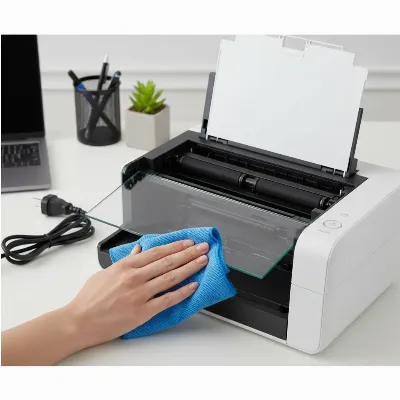 A pair of hands meticulously cleaning the glass and rollers of a modern office document scanner with a lint-free cloth, set in a well-lit and organized office environment. The focus is on the cleaning process, showing attention to detail.
Conclusion
In the dynamic and highly regulated fields of law and accounting, document scanners are no longer merely peripheral office equipment; they are indispensable tools that drive efficiency, enhance security, and ensure accessibility of critical information. From streamlining the management of vast case files and sensitive client data to automating the processing of financial records, the right document scanner empowers professionals to navigate an increasingly digital world with confidence.
Choosing the appropriate scanner—whether a high-speed Automatic Document Feeder model for bulk processing, a versatile flatbed for delicate documents, or a portable unit for on-the-go scanning—and diligently maintaining it are crucial steps toward optimizing your firm’s document management strategy. By focusing on essential features such as robust OCR capabilities, high-volume handling, secure software integration, and consistent maintenance, firms can transform their operations, reduce costs, mitigate risks, and free up valuable time for more strategic work. Investing in a scanner that aligns precisely with your firm’s specific demands is an investment in future productivity and client service excellence. How will your firm leverage advanced scanning technology to streamline operations and better serve clients in the coming years?
Frequently Asked Questions
What is the most important feature for a legal document scanner?
For legal document scanners, Optical Character Recognition (OCR) is arguably the most crucial feature. It converts scanned document images into searchable and editable text, allowing legal professionals to quickly locate specific information within vast case files, contracts, and depositions. High speed, duplex scanning, and robust security features are also paramount to manage sensitive, high-volume paperwork efficiently.
How does OCR benefit accounting firms?
OCR significantly benefits accounting firms by automating data extraction from financial documents like invoices, receipts, and bank statements. This reduces manual data entry, minimizes human error, and speeds up reconciliation and audit processes. Combined with integration into accounting software, OCR streamlines workflows and enhances overall operational efficiency.
Can I use a flatbed scanner for high-volume legal documents?
While a flatbed scanner offers high resolution and is excellent for delicate or bound legal documents (like exhibits or books), it is generally not suitable for high-volume legal documents. Its manual feeding process is too slow for large batches of loose papers. For high volume, an Automatic Document Feeder (ADF) scanner is far more efficient due to its speed and batch processing capabilities.
Are portable scanners suitable for tax season document processing?
Portable scanners can be useful for tax season document processing, especially for digitizing receipts and small documents on the go or during client visits. However, they are typically not designed for the extremely high volumes often encountered during peak tax season. For primary, high-volume processing in an office setting, a dedicated ADF scanner with a higher daily duty cycle and larger capacity would be more appropriate.
How often should a professional document scanner be cleaned?
A professional document scanner, especially in a high-use environment, should ideally be cleaned weekly or bi-weekly, and certainly whenever image quality issues (like streaks or smudges) appear. Regular cleaning of the glass, rollers, and feed path prevents dust and debris buildup, which can cause paper jams, poor scan quality, and premature wear on components, ensuring consistent performance and longevity.
What is a “daily duty cycle” and why is it important for business scanners?
The “daily duty cycle” refers to the maximum number of pages a scanner is designed to process reliably each day without excessive wear or failure. It is crucial for business scanners because it indicates the scanner’s durability and capacity for sustained, high-volume use. Choosing a scanner with a duty cycle that matches or exceeds your firm’s actual daily scanning volume ensures long-term reliability and prevents the need for frequent repairs or early replacement.
Can document scanners integrate with cloud storage for law firms?
Yes, modern document scanners can integrate seamlessly with various cloud storage platforms such as Dropbox, Google Drive, Microsoft SharePoint, and specialized legal cloud solutions. This functionality allows law firms to directly scan documents to secure cloud folders, facilitating remote access, secure sharing, enhanced collaboration among team members, and robust disaster recovery strategies for all digitized legal files.
Choosing the Right Document Scanner for Your Firm
Selecting the ideal document scanner requires assessing your firmu2019s specific operational needs and long-term goals to ensure efficiency, accuracy, and compliance.
Before exploring specific models, understand your firmu2019s unique scanning profile. Consider daily volume, document types (e.g., loose sheets, bound books, receipts), team size, workflow integration, and any mobility requirements for remote scanning.
For firms with significant paperwork, prioritize scanners with high pages per minute (PPM) and a substantial Automatic Document Feeder (ADF) capacity. This ensures efficient batch processing and reduces manual loading time, crucial for high-volume environments.
Optical Character Recognition (OCR) is fundamental for creating searchable and editable digital files. Ensure the scanner's software offers strong OCR performance and seamless integration with your existing Document Management System (DMS) or practice-specific software like Clio or QuickBooks.
While 300 DPI is often sufficient for standard text, legal contracts or financial statements with fine print may require 600 DPI for optimal clarity. Verify the scanner can produce clear, legible, and accurate reproductions of all critical documents.
Given sensitive client data, robust security features like secure PDF creation and data encryption are non-negotiable. Balance your budget with necessary features, remembering to include the total cost of ownership, such as consumables and software subscriptions.

I appreciate the focus on features like OCR and robust daily duty cycles. For our accounting practice, being able to quickly digitize client tax documents and have them searchable is non-negotiable. We went with a Brother ADS-4900W, and while it’s generally excellent, I do wish the automatic document feeder was a bit more forgiving with slightly wrinkled papers. Still, it’s a solid workhorse.
As a paralegal, I can’t stress enough how much a good scanner helps. We upgraded to a Fujitsu fi-8170 after reading about its high daily duty cycle, and it’s been a game-changer for our firm. We’re scanning thousands of pages a week, and it handles everything without a hitch, including mixed batches of documents. The OCR is also incredibly accurate, which saves us so much time.
We needed something for our small legal office that could handle a decent volume without breaking the bank. We picked up a Raven Pro, which was mentioned as a good mid-range option. It works fine for most things, but I’ve noticed it sometimes struggles with very thin receipt paper, causing occasional jams. It’s not a deal-breaker, but it’s a minor annoyance when you’re trying to get through a big batch.
The guide’s emphasis on handling fragile historical records really resonated with me. Our firm has a lot of old deeds and contracts that need to be digitized carefully. We invested in a flatbed scanner specifically for those delicate items, alongside our high-speed sheet-fed scanner. It’s made a huge difference in preserving those documents while making them accessible.