Choosing the right document scanner can dramatically impact your daily workflow, the quality of your digital files, and the precious time you save during busy periods. Whether you are digitizing a stack of old family photos or streamlining office documents, the decision between a flatbed and a sheetfed scanner is crucial. Both types serve the fundamental purpose of converting physical papers into digital formats, yet they offer distinct features, benefits, and limitations that cater to different needs. This comprehensive guide will break down the intricacies of flatbed and sheetfed scanners, helping you understand their unique capabilities and determine which one is the perfect fit for your home or business.
Document Scanners: A Comprehensive Guide
Document scanners are indispensable tools in both modern offices and homes, facilitating the swift and efficient conversion of paper documents into high-quality digital images or PDF files. The right scanner can help individuals and businesses achieve a paperless environment, enhance document security, and improve communication among teams. However, with a diverse range of models available, understanding the core technologies is key to making an informed choice.
Common Types of Document Scanners
When exploring document scanners, you’ll primarily encounter two major categories: flatbed and sheetfed. Each is designed with specific tasks and environments in mind, offering unique advantages. Knowing these differences will help you align your scanner choice with your actual usage requirements.
- Flatbed Scanners: These scanners feature a flat glass surface, often resembling a small photocopier. You place the item to be scanned directly onto this glass (the platen) and close a lid over it. During scanning, the document remains stationary while a light source and sensor move beneath the glass to capture the image. This design is highly adaptable and minimizes the risk of damaging the scanned material. Flatbed scanners are recognized for their precision, clarity, and gentle handling, making them ideal for delicate items.
- Sheetfed Scanners (ADF Scanners): Unlike flatbed models, sheetfed scanners involve feeding documents into the scanner through a roller system, similar to how a printer or copier works. Most modern sheetfed scanners come equipped with an Automatic Document Feeder (ADF), which allows you to load a stack of pages at once for batch scanning. They are built for speed and efficiency, making them excellent for high-volume tasks. Some advanced models also offer duplex scanning, capturing both sides of a page in a single pass.
- Other Specialty Scanners: While flatbed and sheetfed are the most common, other types exist for niche applications, such as mobile scanners for on-the-go use, photo scanners optimized for image quality, and book/overhead scanners designed to digitize bound materials without damage.
|
Our Picks for the Best Document Scanner in 2026
As an Amazon Associate I earn from qualifying purchases.
|
||
| Num | Product | Action |
|---|---|---|
| 1 | Epson Workforce ES-C220 Compact Desktop Document Scanner with 2-Sided Scanning and Auto Feeder (ADF) for PC as Well as Mac |

|
| 2 | Canon imageFORMULA R10 - Portable Document Scanner, USB Powered, Duplex Scanning, Document Feeder, Easy Setup, Convenient, Perfect for Mobile Users |
|
| 3 | Canon imageFORMULA R40 Office Document Scanner Receipt Edition, for PC and Mac, Scan & Extract Data to QuickBooks Online, Color Duplex Scanning, Auto Document Feeder, Easy Setup for Office Or Home Use |
|
| 4 | ScanSnap iX1300 Compact Wireless or USB Double-Sided Color Document, Photo & Receipt Scanner with Auto Document Feeder and Manual Feeder for Mac or PC, White |
|
| 5 | ScanSnap iX1300 Compact Wireless or USB Double-Sided Color Document, Photo & Receipt Scanner with Auto Document Feeder and Manual Feeder for Mac or PC, Black |
|
| 6 | ScanSnap iX2500 Wireless or USB High-Speed Cloud Enabled Document, Photo & Receipt Scanner with Large 5" Touchscreen and 100 Page Auto Document Feeder for Mac or PC, Black |
|
| 7 | ScanSnap iX2500 Wireless or USB High-Speed Cloud Enabled Document, Photo & Receipt Scanner with Large 5" Touchscreen and 100 Page Auto Document Feeder for Mac or PC, White |
|
| 8 | Doxie Pro DX400 - Duplex Document Scanner and Receipt Scanner For Home and Office With Amazing Software for Mac and PC |
|
| 9 | Epson WorkForce ES-50 Portable Sheet-Fed Document Scanner for PC and Mac |
|
| 10 | Brother DS-640 Compact Mobile Document Scanner, (Model: DS640) 1.5"x2"x11.9" |
|
Comparison of Flatbed vs. Sheetfed Scanners
Understanding the core differences between flatbed and sheetfed scanners is essential for selecting the best tool for your specific scanning needs. Each type excels in different areas, from handling delicate originals to processing large volumes of standard documents quickly.
| Feature | Flatbed Scanner | Sheetfed Scanner (ADF) |
|---|---|---|
| Scanning Speed | Slower (manual placement per page) | Extremely fast (dozens to hundreds of pages per minute) |
| Document Handling | Fragile, bound materials (books, magazines), photos, IDs, thick or oddly-sized items | Stacks of loose, standard-sized paper documents (invoices, contracts) |
| Image Quality | Superior, high-resolution (often 1200-4800+ DPI), excellent for graphics and photos | Good for text documents (200-600 DPI), optimized for clarity and OCR |
| Risk of Damage | Very low (document remains stationary) | Moderate (risk of bending, scratching, or tearing delicate items) |
| Space Footprint | Larger, takes up more desk space, generally not portable | More compact, streamlined design, often portable |
| Cost | Can be higher, especially for professional-grade models or large format | Generally more affordable for standard office use |
| Special Features | Excellent for detailed artwork, 3D objects (small), transparency scanning (with adapter) | Automatic Document Feeder (ADF), duplex scanning, blank page removal, auto-rotation, OCR |
| Maintenance | Glass platen prone to dust/smudges, requires regular cleaning | Rollers and paper path need cleaning/replacement to prevent jams |
| Ideal Use Cases | Artists, photographers, genealogists, home users scanning varied items, legal firms, engineering offices (for large format) | Busy offices, small businesses, home offices with high document volume, archiving large paper files |
Flatbed Scanner Advantages: Flatbed scanners deliver exceptional image quality, often boasting higher optical resolutions suitable for detailed artwork, vintage photos, and documents where color accuracy is paramount. Their stationary scanning surface makes them incredibly gentle on fragile or delicate originals, preventing damage that rollers might cause. They are also highly versatile, capable of scanning bound materials like books and magazines, passports, ID cards, and even small, three-dimensional objects. This makes them a favorite for creative professionals, archivists, and anyone prioritizing precision over speed.
Flatbed Scanner Disadvantages: The primary drawback of flatbed scanners is their speed. Each item must be manually placed on the glass, scanned, and then removed, making them inefficient for high-volume, multi-page jobs. They also tend to have a larger physical footprint, consuming more desk space and limiting portability. Furthermore, the glass platen is susceptible to dust and smudges, which can appear in scans and necessitate frequent cleaning.
Sheetfed Scanner Advantages: Speed is where sheetfed scanners truly shine. With an Automatic Document Feeder (ADF) and often duplex scanning capabilities, they can process dozens or even hundreds of pages in minutes, scanning both sides simultaneously. This makes them productivity powerhouses for offices dealing with large volumes of standard documents like invoices, contracts, and reports. They are typically more compact and sometimes portable, fitting better into smaller workspaces. Sheetfed scanners often integrate advanced features like Optical Character Recognition (OCR) for searchable and editable text.
Sheetfed Scanner Disadvantages: While fast, sheetfed scanners are less suitable for delicate or non-standard documents. Fragile items, old photographs, or bound materials can be damaged by the rollers, or simply cannot be fed through the machine. There’s also a potential for paper jams, especially with creased or mixed media documents, which can interrupt workflow. The image quality, while perfectly adequate for text, generally doesn’t match the fine detail and color fidelity of flatbed scanners, making them less ideal for artistic or photographic work.
> “Digitizing documents with the right scanner helps streamline operations, enhance data security through encrypted files, and allows for rapid access to information, transforming chaotic paper trails into efficient digital archives.”
How to Choose the Right Document Scanner
Selecting the ideal document scanner requires a careful assessment of your specific needs, balancing performance, features, and budget. What works for a home user archiving family photos might be entirely inadequate for a busy legal office processing thousands of contracts.
1. Determine Your Usage Needs:
- Personal Use/Home Office: Do you mostly scan occasional documents, old photos, children’s artwork, or receipts? A flatbed scanner might offer the versatility you need, especially if delicate items are common. If you have a small home office with regular but not overwhelming stacks of standard documents, a compact sheetfed scanner could be more efficient.
- Small Business/Office: Do you frequently process multi-page documents, invoices, client files, or reports? Speed and batch scanning capabilities are paramount, making a sheetfed scanner with an ADF almost a necessity. Consider models with duplex scanning to save time.
- Enterprise/Specialized Business: For industries handling large-format documents (like architectural plans), very delicate historical records, or high-volume transactional documents, specialized flatbed models or robust, high-speed sheetfed scanners are required. Some businesses may even benefit from a hybrid unit that combines both flatbed and ADF functionalities.
2. Key Factors to Consider:
- Scanning Speed (PPM/IPM): Pages Per Minute (PPM) refers to single-sided scans, while Images Per Minute (IPM) indicates how many sides can be scanned per minute (useful for duplex scanners). For high-volume environments, look for 30+ PPM/60+ IPM. For occasional use, speed is less critical.
- Resolution (DPI): Dots Per Inch determines the image clarity and detail.
- For text documents: 200-300 DPI is usually sufficient for clear, legible scans and efficient file sizes.
- For photos, graphics, or archival quality: 600 DPI or higher is recommended to capture fine details and colors accurately. Flatbed scanners typically offer higher DPI.
- Document Size and Type:
- Standard paper (Letter, A4): Both scanner types can handle this, but sheetfed excels with stacks.
- Fragile, bound, irregular shapes (books, photos, ID cards, receipts): A flatbed is generally safer and more versatile.
- Mixed media (different sizes/thicknesses in one batch): Some advanced sheetfed scanners have better mixed-media handling, but a flatbed ensures no damage.
- Connectivity:
- USB: Standard for direct connection to a single computer.
- Wi-Fi/Ethernet: Essential for sharing the scanner across a network or scanning from mobile devices.
- Cloud Integration: Allows direct scanning to cloud storage services like Dropbox, Google Drive, or Evernote.
- Software Features: Look for bundled software that offers Optical Character Recognition (OCR) to convert scanned images into editable and searchable text. Other useful features include automatic image cleanup (blank page removal, auto-rotation, de-skewing), document management capabilities, and easy file format saving (PDF, JPEG, TIFF).
- Automatic Document Feeder (ADF) Capacity: If choosing a sheetfed scanner, check the ADF capacity. Higher capacity (e.g., 50-100 sheets) means fewer interruptions during large scanning jobs.
- Daily Duty Cycle: This indicates the manufacturer’s recommended maximum number of pages to scan per day or month. Align this with your expected usage to ensure durability and longevity.
3. Budget Considerations:
Scanner prices vary widely. Entry-level flatbeds or compact sheetfed scanners can be quite affordable, often under $200. Mid-range models (typically sheetfed with robust ADFs and advanced software or flatbeds with higher resolution) can range from $200-$600. High-end professional or production-grade scanners, especially those with large-format capabilities or very high speeds, can cost $1000 or more. Define your budget early, but prioritize features that genuinely meet your core needs to avoid unnecessary compromises.
Top Document Scanners to Consider
While specific models can quickly become outdated, understanding the characteristics of top-tier scanners helps in your selection. Leading manufacturers like Epson, Fujitsu (ScanSnap), Brother, Canon, and HP consistently produce highly-rated document scanners.
- For Versatility and Quality (Flatbed Focus): Look for flatbed scanners that offer high optical resolution (e.g., 1200 DPI or higher), a sturdy build, and an adjustable lid for scanning thicker items. Many premium flatbeds may also include a transparent media adapter for scanning film or negatives. Some models might even integrate a basic ADF for occasional multi-page document scanning, offering a hybrid approach.
- For Speed and Volume (Sheetfed Focus): Top sheetfed scanners typically boast impressive speeds (50-80+ PPM), large ADF capacities (80-100+ sheets), and advanced image processing features. Look for reliable paper feeding mechanisms that can handle mixed document sizes without jams. Duplex scanning and robust OCR software are standard in high-performance sheetfed models.
- For Home or Small Office: Compact sheetfed scanners designed for ease of use, with Wi-Fi connectivity and simple one-touch scanning, are popular. For home users with varied scanning needs, a flatbed scanner or a hybrid flatbed with a small ADF attachment offers flexibility.
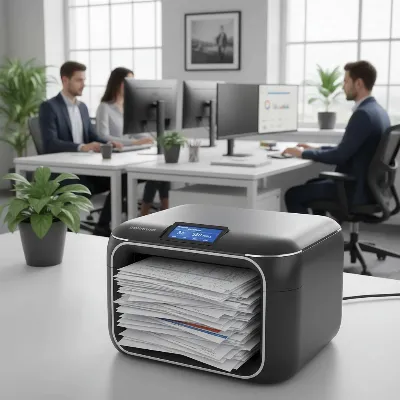 A modern office environment with a sheetfed document scanner rapidly processing documents.
Tips for Using and Maintaining Your Document Scanner
Proper usage and regular maintenance are crucial for extending the lifespan of your document scanner and ensuring consistent, high-quality scans.
1. Efficient and Fast Document Scanning:
- Prepare documents: Before using a sheetfed scanner, remove all staples, paper clips, sticky notes, and smooth out any creases or folds. This prevents jams and potential damage to both the documents and the scanner.
- Load correctly: Ensure documents are aligned properly in the ADF tray to avoid skewed scans. For flatbeds, place documents flat against the glass, ensuring corners are flush.
- Optimize settings: Adjust resolution (DPI) and color settings according to the document type. Use lower DPI for text documents to save file size and scanning time, and higher DPI for photos or detailed graphics.
- Utilize software features: Take advantage of features like auto-color detection, blank page removal, and auto-orientation offered by your scanner’s software to streamline the process.
- Save in appropriate formats: PDF is ideal for multi-page documents and archiving, JPEG for photos, and TIFF for high-quality archival images where file size is not a concern.
2. Cleaning and Maintenance:
Regular cleaning is the most important aspect of scanner maintenance. Dust, paper fibers, and smudges can significantly degrade scan quality and cause paper jams.
- Clean the glass platen (flatbed): Use a soft, lint-free cloth and a small amount of non-abrasive glass cleaner (or isopropyl alcohol for stubborn marks). Avoid harsh chemicals or abrasive materials that can scratch the glass. Ensure no dust remains, as it can cause white spots.
- Clean rollers and paper path (sheetfed): Over time, paper dust accumulates on the rollers and within the paper path, leading to misfeeds or streaks. Refer to your scanner’s manual for specific instructions on how to access and clean these components, often using a damp, lint-free cloth or a specialized cleaning kit. Replace worn-out rollers as recommended by the manufacturer.
- Keep external surfaces clean: Wipe the outer casing with a cloth dampened with mild detergent and water.
- Update drivers and firmware: Regularly check the manufacturer’s website for updated drivers and firmware to ensure optimal performance and compatibility.
- Protect from dust: When not in use, cover your scanner to protect it from dust accumulation, especially in dusty environments.
3. Troubleshooting Common Issues:
- Poor image quality (streaks, blurry scans): Often caused by dirty scanner glass or rollers. Clean them thoroughly. Low resolution settings can also contribute; increase DPI.
- Paper jams: Typically due to improperly loaded documents, staples/clips left on pages, or worn-out rollers. Ensure documents are prepped and rollers are clean.
- Scanner not recognized by computer: Check USB cable connections, try a different USB port, update scanner drivers, or temporarily disable firewall/antivirus software to rule out conflicts.
- Slow scanning: High-resolution settings for unnecessary documents, outdated drivers, or memory overload on your computer can cause slow performance. Adjust settings, update drivers, and close unnecessary applications.
Conclusion
Choosing between a flatbed and a sheetfed document scanner ultimately depends on your specific scanning requirements and priorities. If your workflow involves delicate, bound, or irregularly shaped items where image quality and gentle handling are paramount, a flatbed scanner is your ideal choice. It offers unparalleled versatility and precision for photos, artwork, and fragile documents. However, if speed, efficiency, and batch processing of standard paper documents are your top concerns, a sheetfed scanner with an Automatic Document Feeder will be an indispensable asset, dramatically improving productivity in any busy environment.
Many users find that a hybrid solution, or even having both types of scanners, offers the ultimate flexibility. Carefully evaluate your document types, scanning volume, desired image quality, and budget to make a decision that will enhance your digital life and workflow for years to come. What types of documents do you find yourself scanning most often, and how might a specialized scanner streamline that process for you?
Frequently Asked Questions
Which type of scanner is better for old photos and delicate documents?
A flatbed scanner is definitively better for old photos and delicate documents. Because the document remains stationary on a glass surface, there is no risk of it bending, tearing, or being damaged by rollers, which is a common concern with sheetfed scanners. Flatbeds also offer higher resolution, preserving intricate details and colors.
Can a sheetfed scanner scan books or magazines?
No, standard sheetfed scanners cannot scan books or magazines because they require individual, loose pages to be fed through rollers. Books and magazines are bound, making them unsuitable for sheetfed mechanisms. For bound materials, a flatbed scanner or a specialized book scanner is necessary.
Do I need a high DPI scanner for everyday text documents?
No, you typically do not need a very high DPI scanner for everyday text documents. A resolution of 200-300 DPI is usually sufficient for clear, legible scans of text and is also ideal for creating smaller file sizes and faster scanning speeds. Higher DPI is more relevant for scanning images, graphics, or documents requiring archival-grade detail.
What is an ADF, and why is it important for document scanners?
ADF stands for Automatic Document Feeder. It is a mechanism found in most sheetfed scanners (and some hybrid flatbeds) that allows you to load a stack of multiple pages, which the scanner then feeds through automatically, one page at a time, for continuous scanning. The ADF is crucial for high-volume scanning, as it eliminates the need to manually place each page, significantly increasing efficiency and speed.
Are sheetfed scanners more compact than flatbed scanners?
Generally, yes, sheetfed scanners tend to be more compact and have a smaller footprint than flatbed scanners. Their design is often streamlined to sit neatly on a desk, making them suitable for environments with limited space, such as small home offices. Flatbed scanners, with their large glass platen, typically occupy more physical space.
